Turn on Developer mode from top-right of the page.
STEP 03
Load unpacked
Select your existing extension folder and finish installation.
chrome://extensions
FAQ
Common questions
Does it work only on TradingView?
Yes. The extension activates on TradingView pages and uses the visible chart context.
Do I need Developer Mode?
Yes, until store publication, loading unpacked requires Developer Mode.
If I move folder later?
Reload extension from chrome://extensions using the new folder location.
Extension Features
Everything you need in one extension
Fifteen professional capabilities built for technical traders who live inside TradingView.
Core Feature
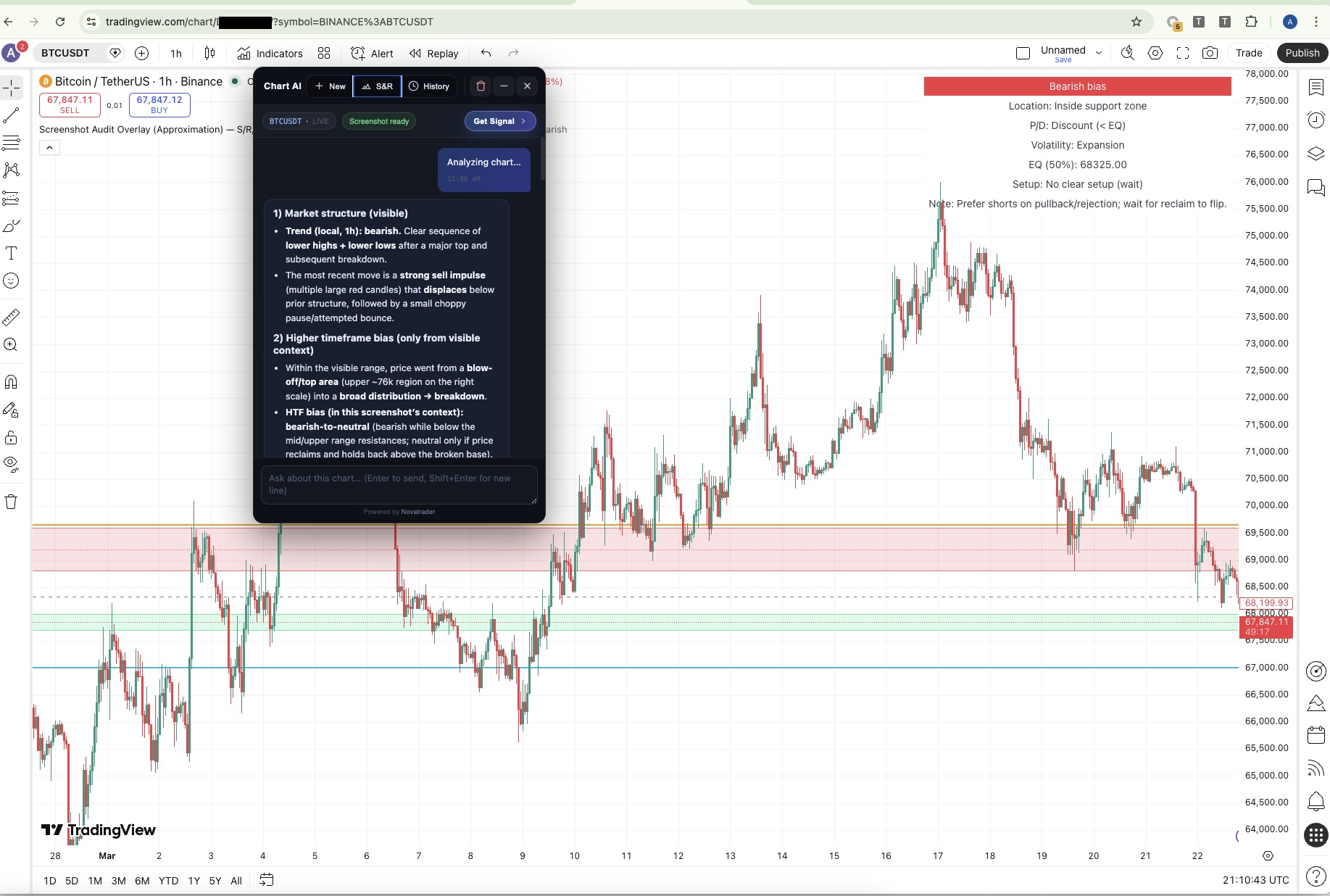
Live Chart Screenshot Analysis
Captures your active TradingView chart and sends it with your question to the AI. The model reads exactly what you see — price action, candles, indicators, every visible detail.
BTCUSDT
1H
Ready
Is this a strong resistance zone?
Yes — major cluster at $67,800. Four rejections over three sessions. Declining volume on each test confirms sell-side pressure. Bearish bias while below this level.
Dedicated Mode
Signal-Ready Mode
Generates a complete Long or Short trade plan with every parameter you need to act.
Direction▲ Long
Entry64,200
Take Profit67,800
Stop Loss62,400
R / R1 : 2.0
Confidence78%
Audit + Pine
Audit Mode + Pine Script
Full pre-setup analysis with a Pine Script suggestion you can load straight onto the chart.
//@version=5
indicator("S/R Zones", overlay=true)
hline(pivotHigh, "R", color.red)
hline(pivotLow, "S", color.green)
Automation
Auto-Run Pine in Editor
Automatically opens Pine Editor, injects the S/R script, and clicks Add to Chart — zero manual steps.
Output
Structured Technical Analysis
Every response covers trend, key levels, momentum, zones, and a concise operational summary.
Memory
Chat History & Session Memory
All conversations saved locally. Switch sessions, delete old ones, start fresh. History persists across reloads.
Speed
Quick Prompt Suggestions
Pre-built prompts like "Analyze chart now" and "Show me the signal" get you started without typing.
UX
Draggable & Minimizable Panel
Move the panel anywhere on screen. Minimize to a compact chip. Position and state remembered across sessions.
Security
Safe Markdown Rendering
Responses render as full Markdown, sanitized via DOMPurify. Code blocks include a one-click Copy button.
Status
Process Status Indicator
Real-time Capture / Ready / Error states shown clearly so you always know what the extension is doing.
Metadata
Symbol & Timeframe Display
Reads active symbol and timeframe from TradingView's URL, DOM, and toolbar — shown in the panel header.
Popup
Smart Extension Popup
Jump to an existing TradingView tab or open a new one directly from the extension popup.
Experience
Chat Inside TradingView
The widget floats directly on the chart. No new tabs, no context switching — AI analysis without leaving the platform.
Tooling
One-Click Code Copy
Every code block has its own Copy button — optimized for Pine Script so you can paste directly into the editor.
How it works
From chart to insight in seconds
1
You ask a question
Type anything in the chat panel — trend, levels, bias, or a specific setup.
2
Chart is captured
The extension grabs a PNG of your active TradingView viewport automatically.
3
Sent to backend
Image + question + metadata (symbol, timeframe, URL) posted to the server.
4
AI analyzes the chart
The model reads structure, key levels, and momentum from what it sees.
5
Structured response
Output formatted in Markdown, Pine Script suggested where relevant, displayed in the panel.
Question in chat
"Is this a strong resistance zone?"
↓
Chart captured
PNG from TradingView viewport
↓
AI analysis runs
Trend · Levels · Momentum · Signal
↓
Response in panel
Markdown + Pine Script + levels
Roadmap
What's coming next
Actively planned for upcoming versions of NovaTrader AI.
Multi-Timeframe Analysis
Review multiple timeframes simultaneously to confirm signals and detect structural conflicts.
Smart Alert Builder
Auto-create TradingView Alerts at AI-detected support, resistance, and breakout levels.
Quick Backtest
Preliminary evaluation of AI-suggested strategies against historical data for the current symbol.
Volume Profile Analysis
POC, VAH, and VAL zone detection using volume data to identify high-value price areas.
Multi-Symbol Comparison
Analyze correlated symbols side by side to find the strongest current setup across the market.
Chrome Web Store Release
One-click install from the official store. No Developer Mode required. Listing in review.
Ready to trade with AI clarity?
Free to install · Under two minutes · No account required